
MarkMyMail
Mail and calendar, made clear.
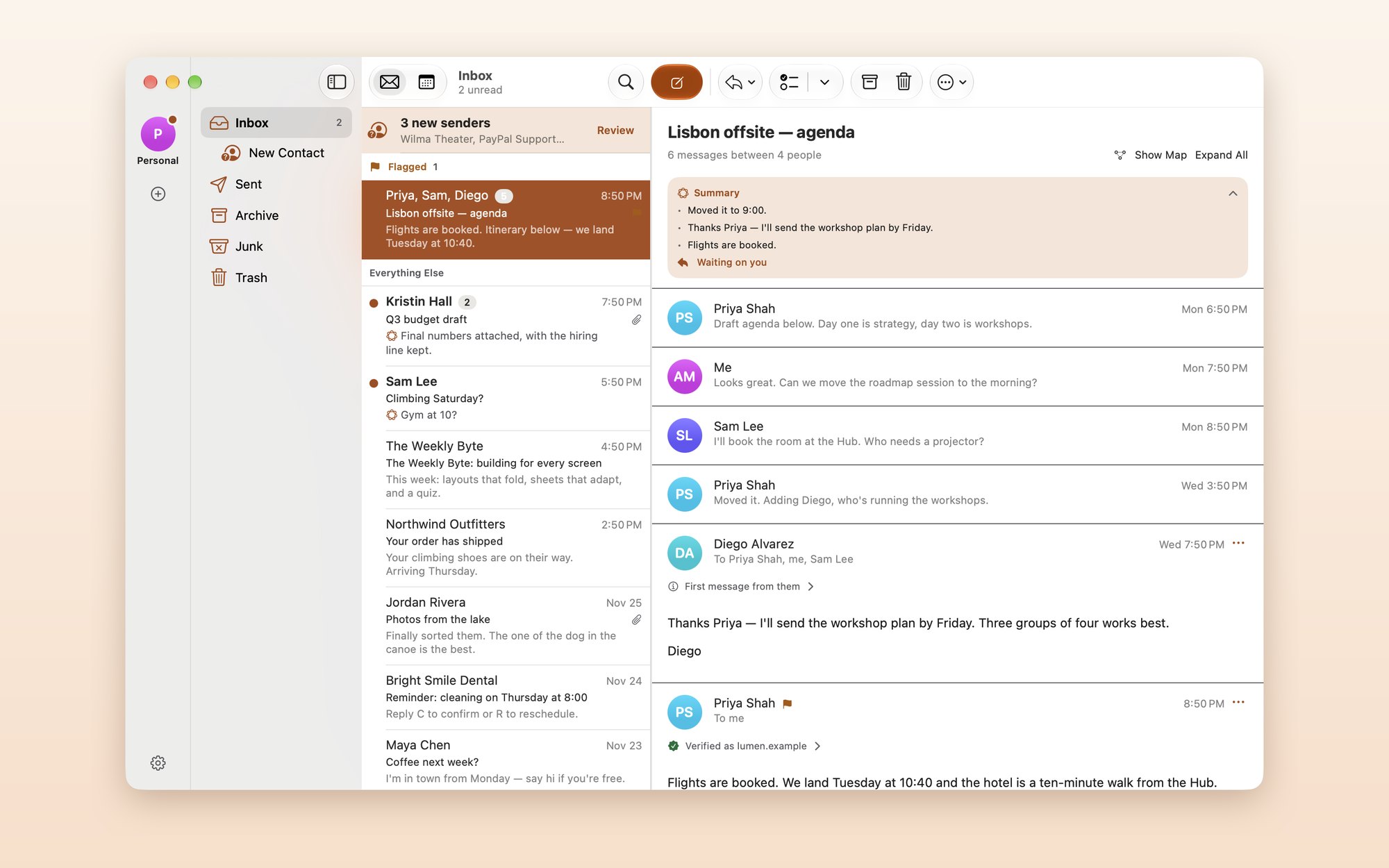
One calm app for mail and calendar.
MarkMyMail keeps your mail on your own servers and shows it clearly — no MarkMyMail account, no middle-man, no tracking.
Your accounts, your servers
Kagi Mail, Fastmail, and any JMAP server; Gmail and any IMAP and SMTP server. Read every account together in All Inboxes, or one at a time, each with its own icon and colour.
Conversations you can see
Mail is grouped into conversations, with your own replies shown in place. The thread map draws who wrote, who answered whom, and who it is waiting on.
Summaries, on your device
With Apple Intelligence, a one-line summary for each unread conversation and the gist of long threads. Made on your device — your mail is never sent anywhere to be summarised. Off until you turn it on.
Know who is writing
Under every message, a short line says whether its sender was verified by your mail server — and warns about borrowed names, redirected replies, and look-alike addresses.
Turn mail into to-dos
Send any message to Reminders, Mark My Day, Things, OmniFocus, Todoist, TickTick, or Drafts. The title, a due day, and a link back to the mail are filled in for you.
Search that understands you
Search all your mail or one folder with keys like from:, subject:, has:attachment, is:unread, after:7d, and larger:5M. Gmail's own keys work on Gmail accounts.
Write in Markdown
Compose with live formatting — bold, italics, lists, and links — without the symbols getting in the way. Recipients complete from your contacts.
Your calendar, too
Agenda, day, week, and month views across every account's calendars, from JMAP Calendars, CalDAV, or Google Calendar. Type or say "Lunch with Sam tomorrow at 12:30" to add an event.
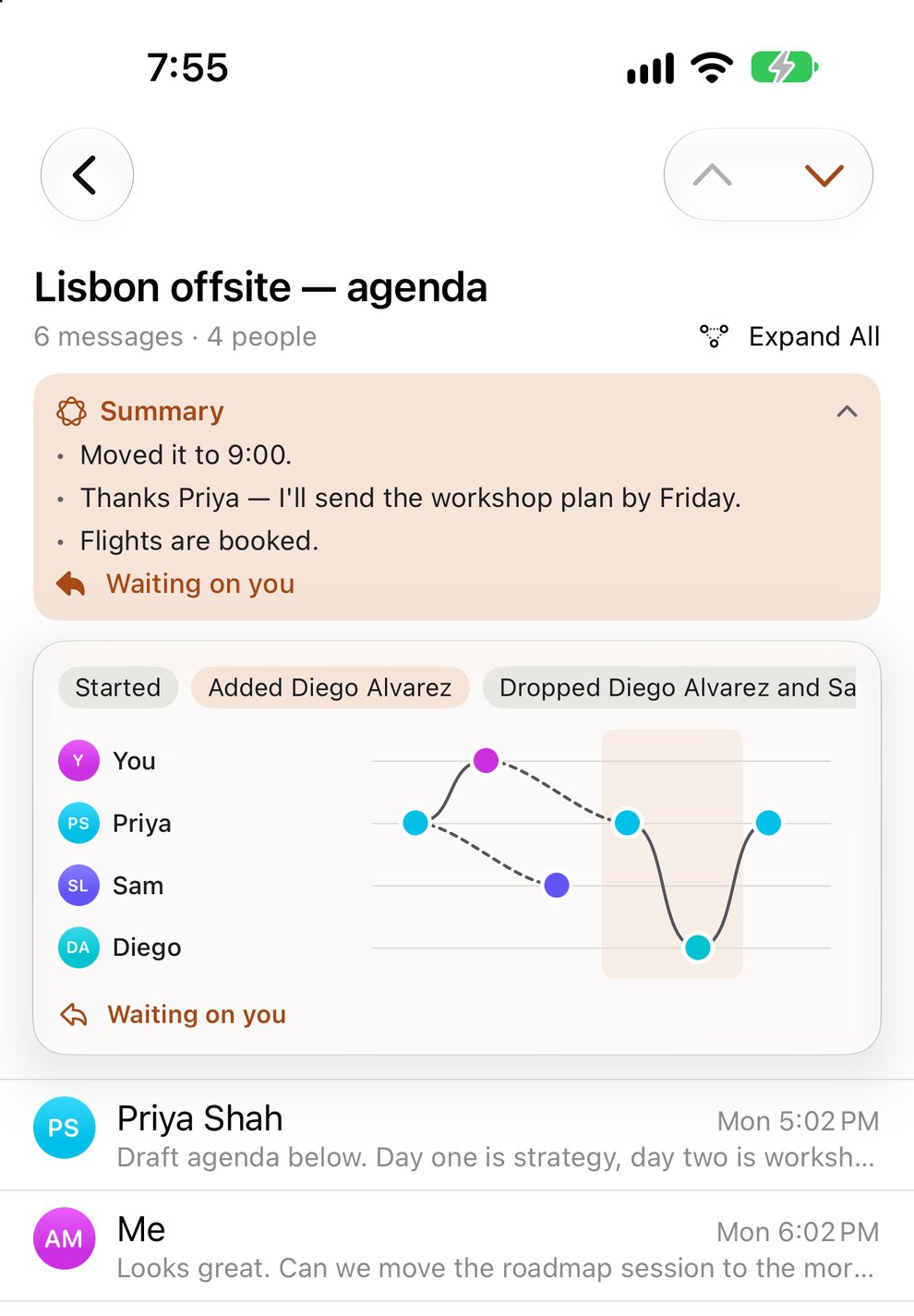
See the whole conversation at a glance.
Long threads are hard to follow when all you get is a stack of replies. The thread map draws the conversation instead: who started it, who answered whom, when people joined or left, and who it is waiting on now.
- Every message on one page, with your own replies from Sent in place
- A summary of the thread, made on your device
- Flagged mail stays at the top of the inbox
- Select several conversations and archive, move, flag, or delete them together
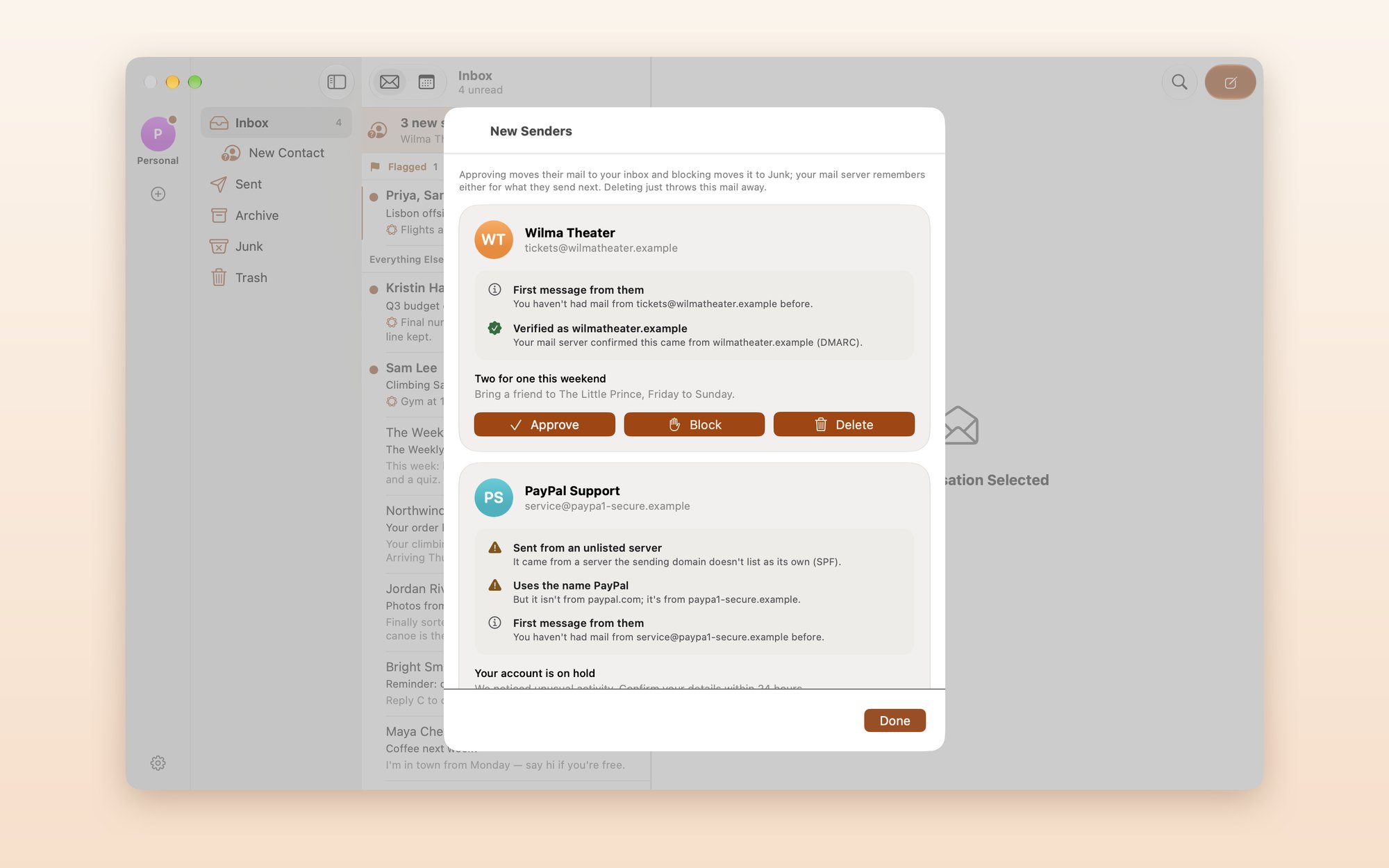
A clear look at who really sent it.
MarkMyMail reads what your mail server already checked and says it in plain words. A verified sender gets a tick. A message that borrows a well-known name, sends replies somewhere else, or comes from a look-alike address gets a warning.
- Verification shown under every message
- Warnings for borrowed names and look-alike addresses
- With Kagi Mail, new senders wait in New Contact: Approve, Block, or Delete
- Images blocked until you load them; scripts in messages never run
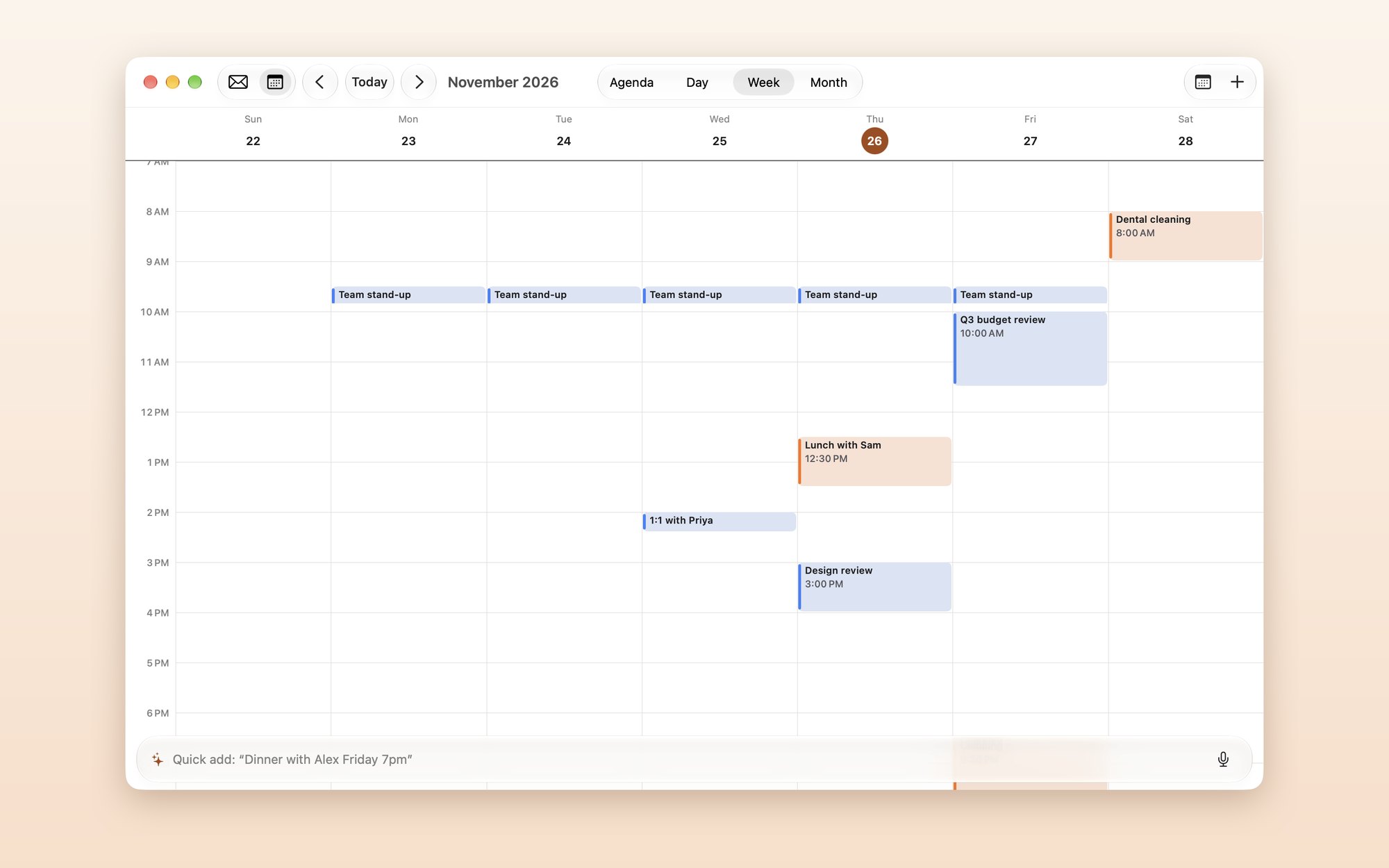
Mail and calendar, side by side.
Your calendars live in the same app as your mail, one tap apart. Invitations that arrive by mail show up as events you can accept, and adding something new is as quick as typing it.
- Agenda, day, week, and month views
- JMAP Calendars, CalDAV, and Google Calendar
- Quick add by typing or speaking
- Invitations, repeating events, and moving events between calendars
- Widgets for mail, calendar, and today
Your mail, on your servers
Most mail apps put a service of their own between you and your inbox. MarkMyMail doesn’t. It connects straight to the mail and calendar servers you already use, keeps your passwords in the Keychain, and has nothing of its own in the middle: no MarkMyMail servers, no accounts, no tracking, and no analytics.
What it adds is clarity. Conversations are drawn so you can see them. Summaries are made on your device. Every message says whether its sender is who they claim to be. And when a message needs doing, one tap turns it into a to-do in the app you already use — Mark My Day included.