Mark My Day
Your day, in plain text.
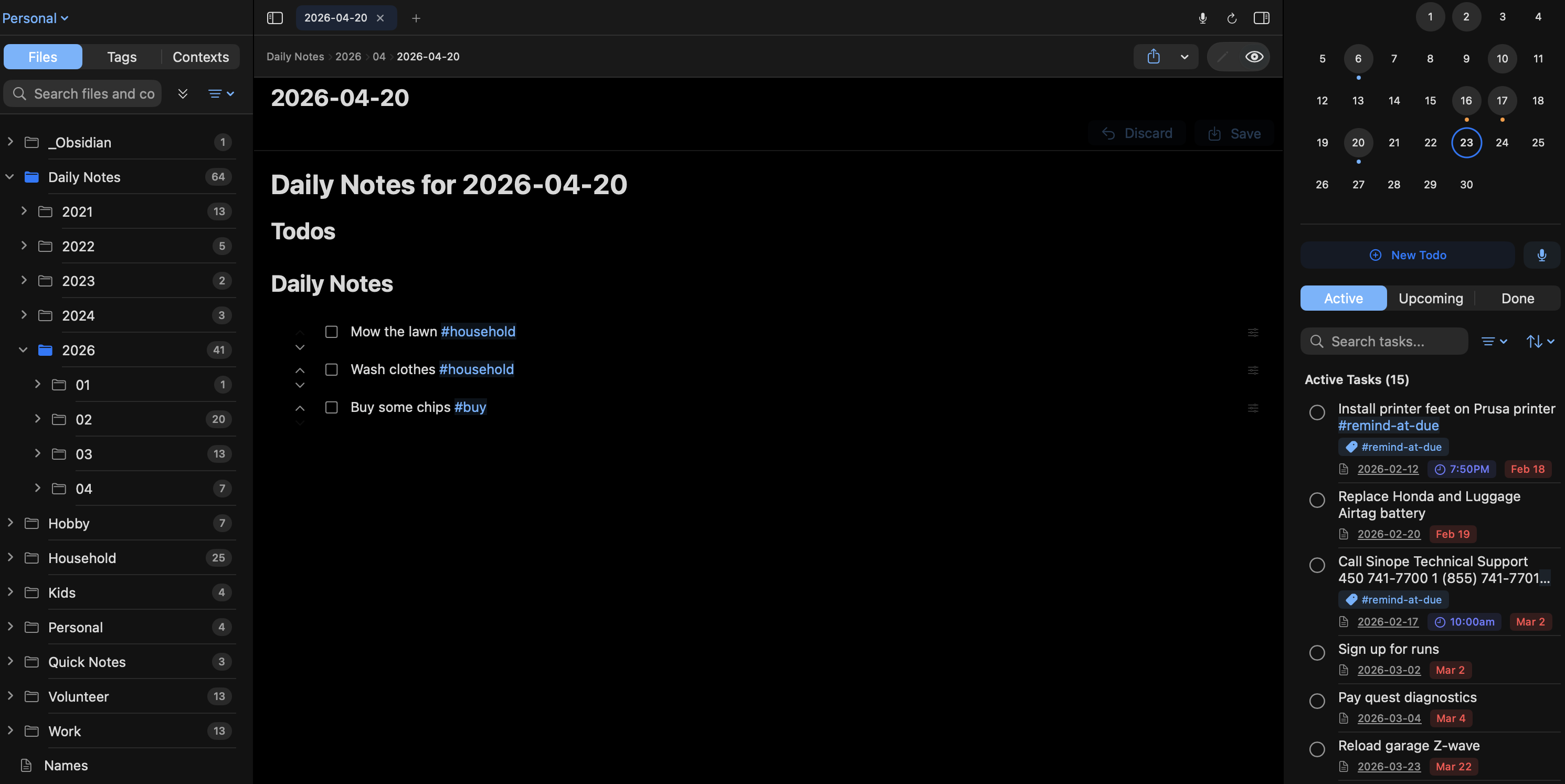
A daily planner that works the way you think.
One app for notes, tasks, and daily journaling — built on plain Markdown so your work is never locked away.
Plain-text, forever
Your notes and tasks live in Markdown files with standard frontmatter. No proprietary format. Open them in any editor, anywhere.
Tasks that understand you
Write tasks in natural language — "Buy milk due tomorrow high priority weekly" — and Mark My Day parses dates, priority, recurrence, and tags automatically.
Daily notes on autopilot
Every day gets its own markdown note, generated from your template. Carry tasks forward, log the day, and look back effortlessly.
Obsidian-compatible
Wiki-links, tags, frontmatter, and daily notes all just work with your existing Obsidian vault. No migration required.
Widgets & quick capture
Home-screen widgets show filtered task lists. A share extension clips from Safari. Siri Shortcuts add tasks by voice.
Your data, your rules
Store your vault on-device, sync through iCloud, Obsidian Sync, or the RedAntelope cloud. You pick — and you can change your mind.
Drop it on top of your Obsidian vault.
Point Mark My Day at your existing vault and it starts reading and writing the same Markdown Obsidian already uses. Tap the Sync button to hand off to Obsidian Sync for instant round-trip sync across all your devices.
- Reads and writes standard Markdown with YAML frontmatter
- Supports wiki-links, tags, aliases, and embedded images
- Triggers Obsidian Sync from inside Mark My Day
- Compatible with iCloud Drive and local-only vaults
Prefer the cloud? We have you covered.
Choose RedAntelope Sync and get real-time sync across iPhone, iPad, Mac, and the web dashboard — powered by our open, self-hostable API backend. WebSockets keep everything in lockstep as you type.
- Real-time WebSocket sync across all devices
- Secure JWT authentication — no third-party accounts
- Web dashboard for quick edits from any browser
- API backend open for self-hosting if you want total control
Built like an Apple app should be.
Mark My Day is SwiftUI-native on every Apple platform. Widgets, share extensions, voice entry, and Siri Shortcuts are all first-class — not afterthoughts.
- Home-screen widgets (iPhone + iPad) with configurable filters
- Share extension to clip web content as tasks or notes
- Voice dictation with real-time speech-to-text
- Siri Shortcuts and App Intents for hands-free capture
- Auto-sync tasks with Apple Calendar, Google Calendar, or CalDAV
How Mark My Day fits into your day
The idea is simple: one app where your notes, your todos, and your daily log all live together — as plain Markdown files you fully own.
Start your morning with a freshly-generated daily note that carries forward yesterday’s open tasks. Capture anything from Safari with the share extension. Dictate a quick todo while you’re driving and Siri hands it off to Mark My Day with dates, priority, and recurrence already parsed. At the end of the day, your journal entry is already half-written from the links, tasks, and notes you captured.
And because everything is Markdown, your work is never trapped. Keep it in an Obsidian vault. Keep it in iCloud. Keep it in our cloud. Or move it tomorrow.